
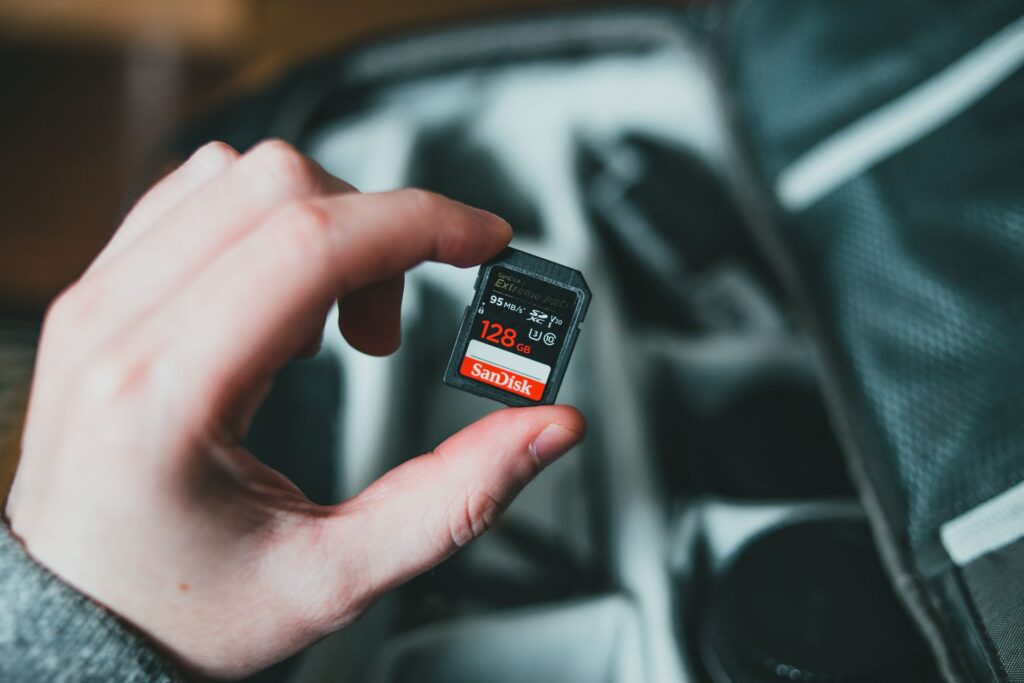
As you probably know, alot of cameras use SD Cards to store the photos and videos on. I am sure you have seen an SD card before with all those funny numbers and letters and symbols on the front of them but have you ever wondered what on earth do they all mean and which one is right for your camera. Well fear not because here is a crash course on SD Cards just for you.
1. Read Speed vs. Write Speed (The Marketing Trap)
Believe it or not SD cards have two speeds, they have a read speed and then they have a write speed. The read speed is how fast data can be transferred from the SD card to the device you are copying to. (This is normally the higher of the two and this is the one some companies put in big letters on the packaging). The write speed is actually the more important one. The write speed is the speed that your camera can write data to the SD card. So if you are filming 4k video or taking photos in burst mode this requires a higher write speed than HD video or single shot photography.
2. The Video Speed Class (Look for the “V” Number)
To make life easier for people, card manufacturers introduced something called the V Rating which is basically a video speed class. This guarantees the minimum sustained write speed of the card:
- V10 (10MB/s): Fine for standard 1080p Full HD video, but will struggle or even fail on modern high-bitrate video.
- V30 (30MB/s): The Gold Standard for Most Creators. A V30 card is the sweet spot for recording crisp 4K video at 24fps, 30fps, or 60fps on cameras like the Canon R50 or Sony ZV-E10,.
- V60 & V90 (60MB/s – 90MB/s): High-end professional territory. You only need these more expensive cards if you are shooting 10-bit cinema footage, 4K at 120fps slow-motion, or uncompressed RAW video on pro camera bodies.
3. What About UHS-I vs. UHS-II?
More letters and numbers! You might have noticed that some cards have a single row of connector pins on the back, these are UHS-I cards. UHS-II have 2 rows of pins. Basically UHS-II can offer incredibly super fast speeds, but they require both a camera and a card reader that supports the second row of pins. For general vlogging, tech reviews or beginner photography a fast UHS-I (V30) card will do the job perfectly and you save some money!
How Much Storage Capacity Do You Actually Need?
As a general rule for shooting 4K video:
- 64GB: Good for light daily use or short clips (yields roughly 1.5 to 2 hours of 4K video depending on bitrate).
- 128GB: The practical sweet spot for most creators. 128GB will store plenty of A-roll, B-roll, and photos for a full day of filming without forcing you to constantly stop and copy files over..
- 256GB+: Great for long events, podcasts, or long-form interviews where the camera runs uninterrupted for hours.
The Verdict
Hopefully that makes sense and you can now confidently purchase the correct SD card for your usage. One thing I would highly recommend. Have a couple of SD cards and backup on a regular basis. SD cards, like all other storage has a shelf life and the last thing you want to do is end up losing some incredible footage or photos.
So don’t overcomplicate it. If you want a decent memory card for vlogging or 4K content creation, go and grab a 128GB UHS-I V30 / U3 card from a reliable brand like SanDisk Extreme, Lexar, or Kingston. My personal choice is SanDisk Extreme. It will handle your 4K footage smoothly without breaking the bank.